How to Choose the Best Poster LED Display?
Choosing a Poster Led Display is not simply about finding the brightest screen or the thinnest frame. The right choice depends on where people will see it, how far away they stand, and what the display must communicate. A screen outside a sunlit shop needs different brightness from one in a quiet lobby. Small details matter: glare on glass, readable text, stable floor stands, and access to power.
Design expert Don Norman wrote, “Design is really an act of communication, which means having a deep understanding of the person with whom the designer is communicating.” That principle applies here. A display should make a message easy to notice and understand, not merely impressive in a product photo. Look beyond pixel pitch and brightness. Check viewing distance, color consistency, refresh rate, operating hours, service access, and warranty terms. Ask for a live demonstration under lighting similar to your venue.
There is no perfect specification sheet. Trade-offs are real. A finer pixel pitch may cost more, while excessive brightness can feel harsh indoors. A slim cabinet may look elegant but leave less room for maintenance. Some buyers focus too heavily on technical numbers; I think that deserves a second look. The guide ahead compares practical selection factors, common mistakes, and questions to ask suppliers. Start with the audience and setting. Then compare models against those needs, rather than choosing on appearance alone.
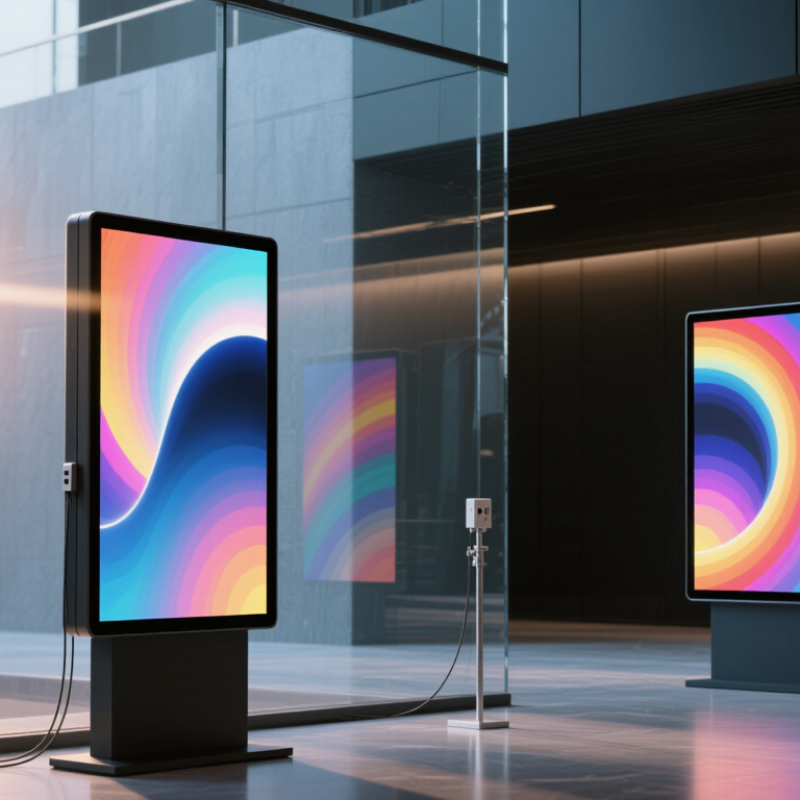
Identify the Display’s Intended Use and Viewing Environment
A poster LED display should fit the job it needs to do, not just look impressive in a showroom. Decide whether it will show menus, event schedules, promotions, or moving visuals. A display near a shop entrance may need to catch attention quickly, while one in a lobby may need to present readable details for longer. Think about who will see it and how far away they will stand. A screen that looks sharp from two meters may be harder to read across a crowded hall.
Tips: Check the actual lighting at the installation site. Sunlight through a glass door can wash out an image, while a dim corridor may make a bright screen uncomfortable. Measure the viewing distance, note nearby reflections, and test typical content at its real size.
Also consider how people move through the space. In a busy passage, use large text and simple images; viewers may only glance for a few seconds. In a waiting area, smaller details can work if people have time to look. Ask about access to power, mounting space, and maintenance before choosing a format. These details are easy to overlook, and there is rarely one perfect setup. A quick site check can prevent a display from being too dim, too busy, or awkwardly placed.
Compare Screen Size, Pixel Pitch, and Viewing Distance
Choosing a poster LED display starts with the place people will actually view it, not simply the largest screen that fits the wall. Measure the available width and height, then consider whether viewers will stand close in a shop queue or pass several meters away. A narrow portrait screen may suit a doorway, while a larger panel can be easier to read across an open lobby. Measure twice. Also consider the content: prices and fine text need more detail than a bold event image.
Pixel pitch describes the distance between neighboring pixels. A smaller pitch usually produces sharper text at close range, but it can raise the display cost without adding much value for distant viewers. As a rough guide, match a finer pitch to shorter viewing distances, then check the screen’s actual resolution and intended content. Stand where visitors will stand and view sample text, icons, and images. Check in person. A calculation can narrow the options, but lighting and eyesight vary, so it is not a guarantee. One common mistake is choosing pitch from the screen size alone. Compare size, pitch, and viewing distance together; a screen that looks crisp up close may feel too small from across the room.
How to Choose the Best Poster LED Display?
Compare screen size, pixel pitch, and recommended viewing distance
Each bubble shows an example screen size and pixel pitch; larger bubbles indicate a coarser pitch. The viewing distances are rough estimates based on the common guideline of approximately 1 meter of viewing distance per 1 millimeter of pixel pitch. Treat these as starting points, not fixed standards: choose a finer pitch for closer viewing, and check the display’s resolution and intended installation space.
Evaluate Brightness, Color Performance, and Refresh Rate
Choosing a poster LED display starts with its viewing environment. A bright shop window needs more luminance than a shaded indoor corridor, but maximum brightness is not always best. It can wash out color and tire nearby viewers. VESA’s DisplayHDR CTS 1.2 sets 400 cd/m² as the peak-luminance threshold for its DisplayHDR 400 tier. Treat that as a comparison point, not a universal LED-poster requirement. Check the display at its actual viewing distance and under the site’s lighting. Read small text, too.
Color needs measurement, not just a vivid demo. CIE 15:2018, the international colorimetry standard, provides methods for specifying and measuring color. Ask for white-point consistency, grayscale tracking, and gamut coverage across the full panel. Compare skin tones, reds, and neutral grays on several units; uneven modules can make a display look patchy. A clean showroom demo can mislead. I’d still want to see the unit after it has warmed up.
Refresh rate is easy to misunderstand. Ask the supplier to distinguish refresh rate from video frame rate, then check the screen through a phone camera and during moving content. Look for dark bands, flicker, or uneven motion. A high stated refresh rate alone cannot guarantee a clean camera image; scan method and camera shutter settings matter. Test both.
Assess Durability, Support, and Total Cost of Ownership
How to Choose the Best Poster LED Display?
Assess Durability, Support, and Total Cost of Ownership
Durability is more than a long-life LED specification. The U.S. Department of Energy’s LED Basics guidance gives typical LED-product lifetimes of 25,000–50,000 hours. That is not a whole-display guarantee. Ask for the full unit’s rated operating conditions, thermal test results, and warranty exclusions. Check whether a technician can replace a damaged module without removing the entire screen. Small details matter. So does support: confirm response times, spare-part availability, and who handles remote diagnostics. A polished demo cannot show how repairs feel on a rainy service call.
Calculate total ownership cost across the years you expect to use the display. Include purchase, installation, electricity, cleaning, repairs, and eventual replacement. The IEA’s Electricity 2024 report projects global electricity demand growth averaging about 3.4% annually from 2024 to 2026. That forecast is not a poster-display energy estimate, and local tariffs differ. Measure the unit’s actual wattage at your brightness and daily schedule, then estimate annual consumption. A slightly awkward truth: a cheaper screen may be sensible if its parts are easy to source. Compare written service terms and realistic power figures, not optimistic promises.