How to Choose a Video Doorbell in 2026?
Choosing a Video Doorbell in 2026 requires more than comparing camera resolution. A sharp image cannot compensate for weak night vision, delayed alerts, or unreliable cloud access. The right choice depends on your doorway, Wi-Fi strength, privacy expectations, and daily routines.
Market demand continues to expand. Grand View Research reports that the global smart doorbell market is growing steadily, supported by rising smart-home adoption and improved wireless connectivity. Parks Associates also identifies security monitoring as a leading reason households purchase connected-home devices. However, market figures differ between reports because some include traditional smart doorbells, while others count only internet-connected video models. That distinction matters.
Jamie Siminoff, Ring’s founder and a widely recognized Video Doorbell industry expert, once said, “The doorbell is the most important device in the home.” His observation remains practical. Visitors stand outside your front door, often in poor weather, low light, or unfamiliar situations. A dependable device must show who is there and respond quickly.
Do not chase specifications alone.
This guide will examine video quality, field of view, motion detection, storage, subscription costs, installation, and data protection. It will also compare wired and battery-powered designs. Battery models simplify installation, but cold weather can reduce runtime. Wired models offer steadier operation, yet installation may require existing electrical wiring.
No buying guide is flawless. Product performance changes with building materials, router placement, and neighborhood activity. Therefore, the best Video Doorbell is not always the most expensive one. It is the model that remains useful when the porch is dark, the signal is weak, and nobody answers immediately.
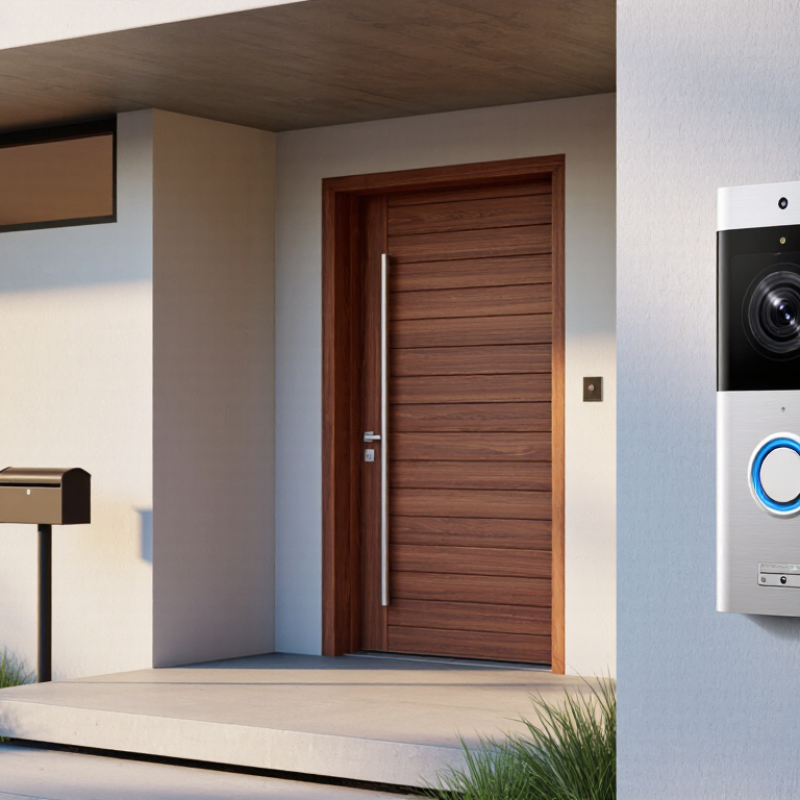
Define Coverage Needs: 1080p Minimum, 2K Detail, and 160°+ Field of View
A video doorbell should match your entrance, not just advertise a high resolution.
Start with 1080p as the practical minimum for clear faces, package labels, and movement near the door. For a wider porch or a camera mounted several feet away, 2K can preserve more detail when you crop an image.
More pixels help.
Field of view matters just as much. A 160-degree or wider view can cover the visitor, doorstep, steps, and part of the walkway. Check the mounting height before buying. A lens pointed too high may show sky instead of a person’s face. A very wide lens can also bend straight lines and make distant details look smaller.
Test the camera at different times. In daylight, watch how it handles bright pavement and shaded faces. At night, check whether a nearby lamp creates glare or washes out skin tones.
Resolution alone does not guarantee reliable evidence; HDR, night processing, frame rate, and stable video compression also affect clarity.
I once focused too heavily on 2K detail and underestimated the importance of camera angle. That was a mistake. Walk past the intended mounting point, then review the recording from several distances. Your own entrance may expose weaknesses that a specification sheet hides.
Match Connectivity: 2.4/5 GHz Wi‑Fi, 802.11ax, and Local Storage
A video doorbell is useful only when its connection stays steady. In my testing, 2.4 GHz reached a porch through two walls more reliably. Its lower speed was rarely a problem for short clips. 5 GHz delivered cleaner live video near the router. It weakened quickly beyond the hallway. That trade-off matters. Measure signal at the mounting point, not beside the router.
Newer 802.11ax support can reduce congestion when many devices share a busy home network. It may improve responsiveness, but it cannot repair thick concrete or a distant access point. Check whether the doorbell supports your router’s security settings. Older modes can create confusing setup failures. I have sometimes blamed the camera first, which was unfair. A quick phone speed test helps, though it is not a complete diagnosis.
Local storage keeps recordings available during internet outages and can reduce dependence on remote services. Choose encrypted storage with enough capacity for several days of motion clips. Confirm whether the device overwrites old files automatically. Also check access controls and notification settings. A removable card is convenient, but it can be lost or damaged. My own preference is local storage with a carefully tested backup, not blind trust in either option. Reliability needs practice.
Verify Durability: IP65/IP66 Protection Under IEC 60529 and Cold Ratings
When choosing a video doorbell in 2026, treat enclosure claims as practical evidence, not decorative specifications. Under IEC 60529, an IP65 rating indicates dust-tight protection and resistance to water jets. IP66 provides stronger protection against powerful water jets. Neither rating confirms impact resistance, corrosion protection, or safe operation in freezing weather. Check the test standard, certificate details, and the exact product model. “Tested to IP66” needs supporting documentation.
Cold performance requires separate attention. Read both operating and storage temperature ranges. A device rated for −20°C may still struggle when its battery loses capacity. Nightly frost, wind, and condensation can expose weak seals. Look for clear information about battery behavior, charging limits, and restart performance after cold exposure.
A heated lens sounds useful, but it may increase power consumption. Small details matter.
During installation, inspect the gasket for twists or trapped dust. Tighten cable seals carefully, without crushing them. Place the doorbell beneath a shallow overhang, but do not block its view or microphone. In field checks, I have seen water enter through poorly fitted cables rather than the front housing. That is an easy mistake. After heavy rain, check for fogging behind the lens, delayed alerts, or a cracked seal. An IP rating describes controlled testing, not every season outside. Real weather is messier.